AI-native agentic IDE.But…it checks its own work.it runs any model you like.it’s made for long sessions.it asks before anything risky.it security-checks every deploy.it can run 100% offline.you can still code by hand.it checks its own work. it runs any model you like. it’s made for long sessions. it asks before anything risky. it security-checks every deploy. it can run 100% offline. you can still code by hand.
Made for Scientist, Engineer, and Entrepreneur. Any type of Builder and Innovator.
Klarcode is an AI agent and a full code editor in one Mac app. Tell it the job — a feature, a part, a simulation, a film. It works in the real tools, checks its own work before it says done, and hands you the finished file. When you want the keyboard, the editor is the same window.
Klarcode carries a guide for every model family that names how it tends to fail — and corrects it.
GPTStops after a partial result → told to finish the job.
GeminiDescribes the work instead of doing it → told to act.
KimiNarrates every step → told to just do it.
On this MacSmall model, long prompt → given a short one.
Done means measured. Not claimed.
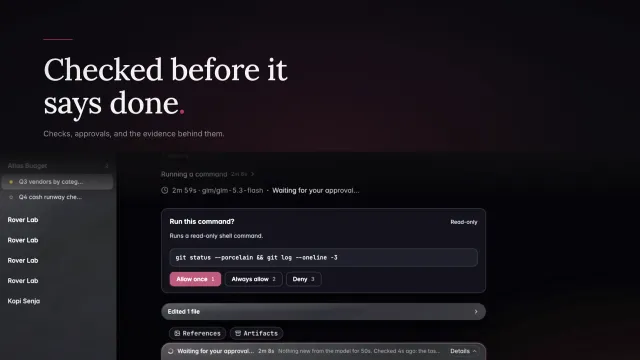
A check counts only if Klarcode ran it. Then a second model reads the report against your files.
Verifiedevery check ran and passed
Partly verifiednever shown as green
Not verifiedno checks, so no claim
Checks failedfixed at most 3 times
The real work. Not just code.
CAD, simulation, games, film, spreadsheets — finished in the tools your field uses, and opened on your Mac.
Agent and editor. One window.
⌘K 2 and you’re in the full editor while the agent keeps working. Select lines, ⌘K, and say the change.
Built for the four-hour job.
Long runs don’t lose the plot. Your rules are re-stated every time the conversation is condensed.
0 h4 h
Rules re-stated
your constraints, files, open errors
Stops when stuck
20 minutes without progress
Never loops
the same command 3 times ends it
It asks first. Your code stays yours.
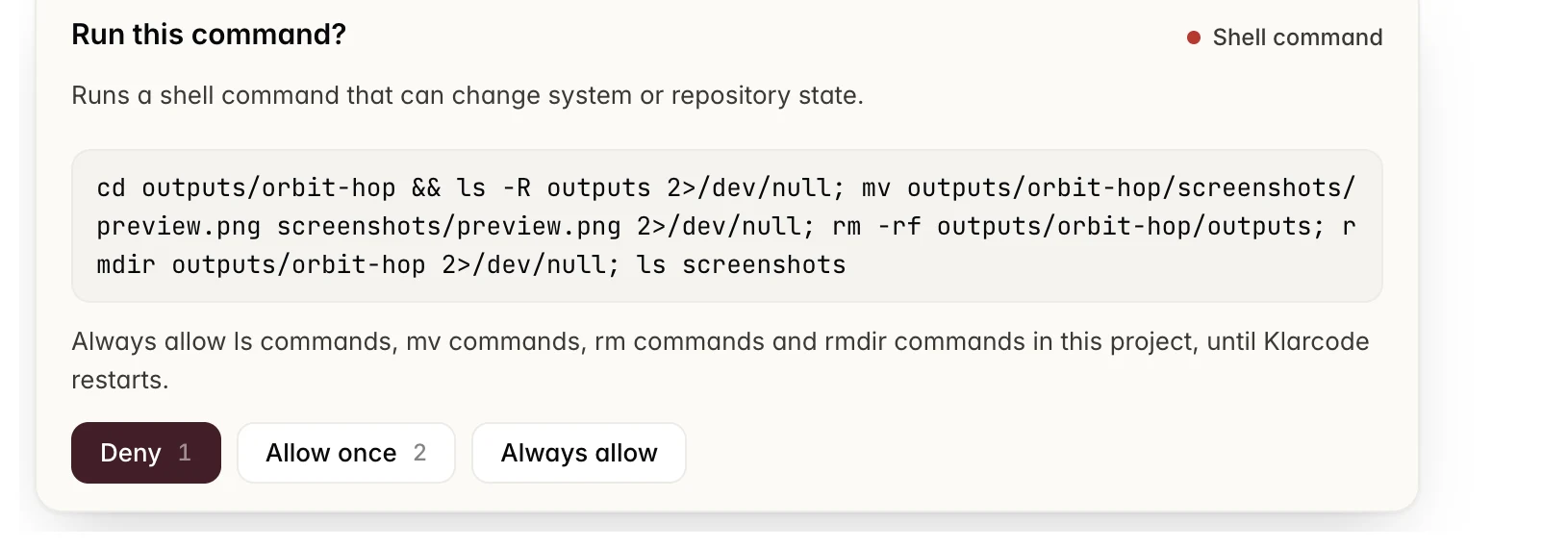
Risky commands wait for you, Deny first. Choose Local only and the agent has no network at all.
The problem
Models got good. Their harnesses didn’t.
Any good model can write code now. What decides whether the job gets done is everything around it — and that’s where today’s agents let you down.
1
“Done.” Nothing ran.
The agent says it’s finished. No test, no check, no proof.
2
Great on one model. Lost on the rest.
Switch to a cheaper or local model and the agent falls apart.
3
It writes code. That’s all.
Your work lives in CAD, simulations, spreadsheets and video too.
4
Two hours in, it forgets your rules.
Long tasks drift once the conversation gets too long.
5
A second app to fix one line.
The agent is in one window, the editor in another.
6
Upload it again. And again.
Your references, every message. Your outputs, buried up the chat.
Klarcode is the harness. Bring any model. It makes it do the work.
The method
Five layers around every model.
Whichever model you pick, Klarcode wraps every turn in the same harness — so a fast, inexpensive model finishes work it would leave half done on its own.
DeepSeek
Qwen
GLM
Kimi
Gemini
GPT
MiniMax
On this Mac
Klarcodethe harness
Model guidesChecksEyesMemoryPermission
.step
.xlsx
.mp4
.tscn
.docx
tested code
Model guidesA guide for each model family, written against how it fails.
ChecksOnly checks Klarcode ran count. A second model reads the report against the files.
EyesIt looks at its own renders, frames, plots and screens before it says done.
MemoryYour rules, the changed files and open errors are re-stated after every condensing.
PermissionRisky steps wait for your yes. Payments and connector changes always ask.
87
Kinds of work it can do, from code and CAD to spreadsheets, video and games
43
Apps and services it connects to, from GitHub and Notion to Blender and FreeCAD
0
Telemetry. Klarcode ships none, and the Privacy screen shows it
How you work
Eight hops. Or one window.
With most coding agents, every handoff between the chat, the editor, the terminal and the browser is yours. In Klarcode they happen in one window.
Today, with a coding agent
ChatAsk the agent for the change
ChatRe-upload the design and the spec
IDEOpen the editor to fix one line
ClipboardCopy the error back into the chat
ChatScroll up to find what it made
TerminalRun the tests yourself
TerminalWrite the commit, push
BrowserOpen the pull request
Five apps. Every handoff is yours.
With Klarcode · one window
12345
Use as contextAnything it made goes into your next message in one click.
View changesEvery edited file, with its lines, opens as a diff.
ReferencesTick once and the next message carries them. No re-uploading.
ArtifactsEverything the project made, in one place, not up the chat.
⌘K 2The full editor, same window. The agent keeps working.
The workspace
Brief it. Watch it. Take over. Ship.
Real screens from Klarcode. Everything you need around the agent — your references, what it made, the editor, the checks and the preview — in the same window.
References. Set once. Tick when you need them.
Your brand sheet, the drawing, the spec — kept with the project. Switch References on and the next message carries them.
Real work
Ask for it. Open it.
Klarcode does the work in the programs your field already uses, then hands you the file — a FreeCAD part, an Excel workbook, a Godot game, a PyMOL session — with a button that opens it where it belongs. Not a summary of the work. The work.
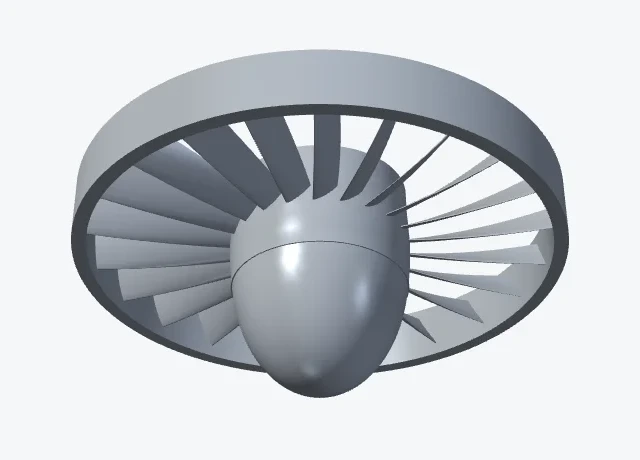
Mechanical engineering. A turbofan fan stage, designed, checked and opened in FreeCAD.
Robotics. A six-axis UR5-style arm with inverse kinematics picks a cube, lifts it 19.8 cm and places it 1.4 mm from the target, every joint inside its limits.
Electronics. A 555 flasher drawn in KiCad, and an 8-bit counter in Verilog with its waveform.
Software. A Datadog-style observability dashboard in React and TypeScript. Klarcode looked at it, fixed seven layout bugs it saw, and shipped it with 41 tests passing.
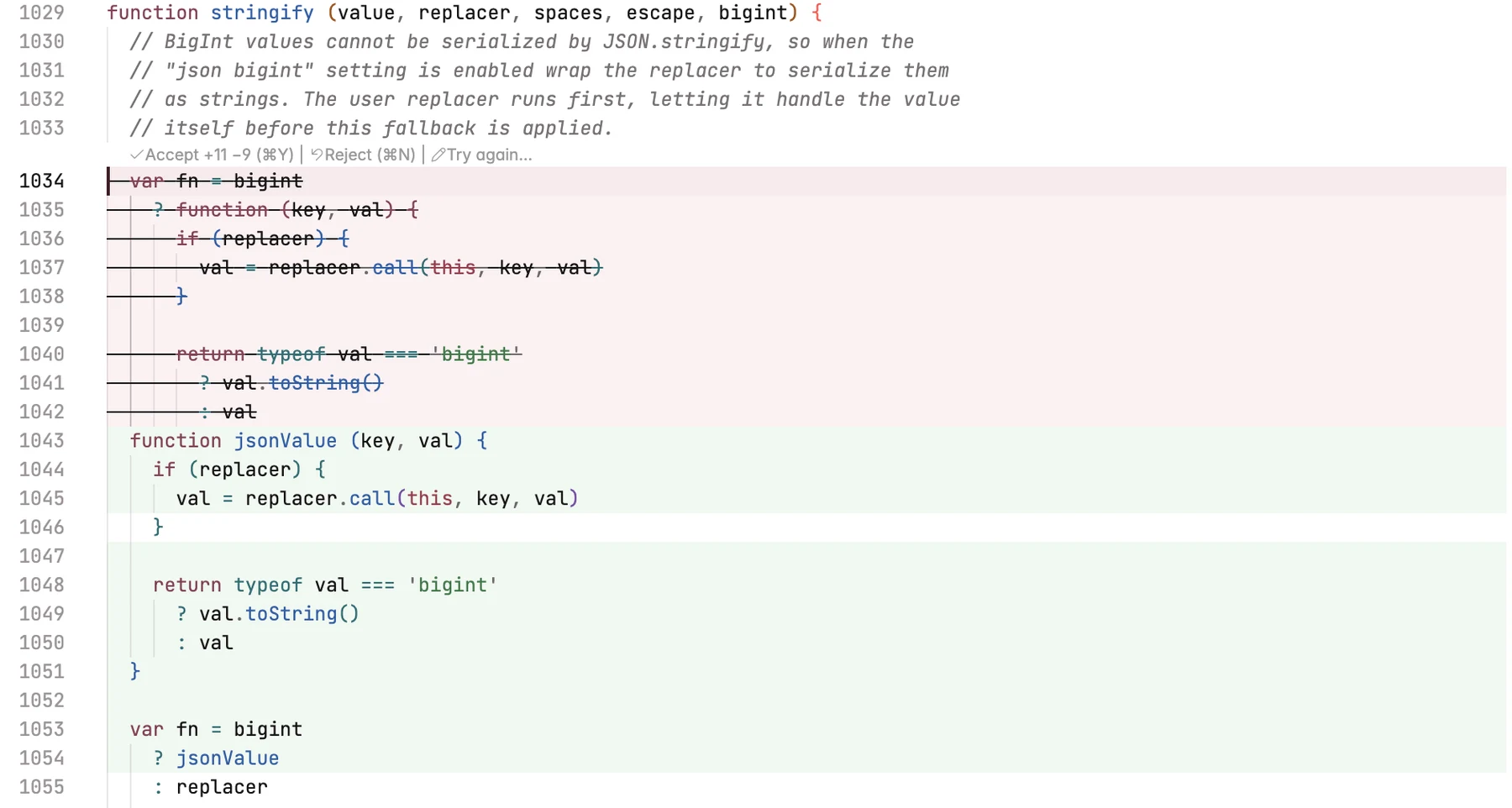
Software engineering. Opt-in BigInt support for Express’s res.json, in the real Express codebase — 1,268 tests passing.
iOS. A SwiftUI app built for the iPhone simulator, 384 tests, live beside its code.
Aerospace. 48 hours of ISS passes over Bandung, and a lift and drag polar for a NACA 2412 wing.
Power systems. The IEEE 118-bus system: an AC power flow matching the published case, all 186 branches drawn, and an N-1 scan of the 20 most loaded lines.
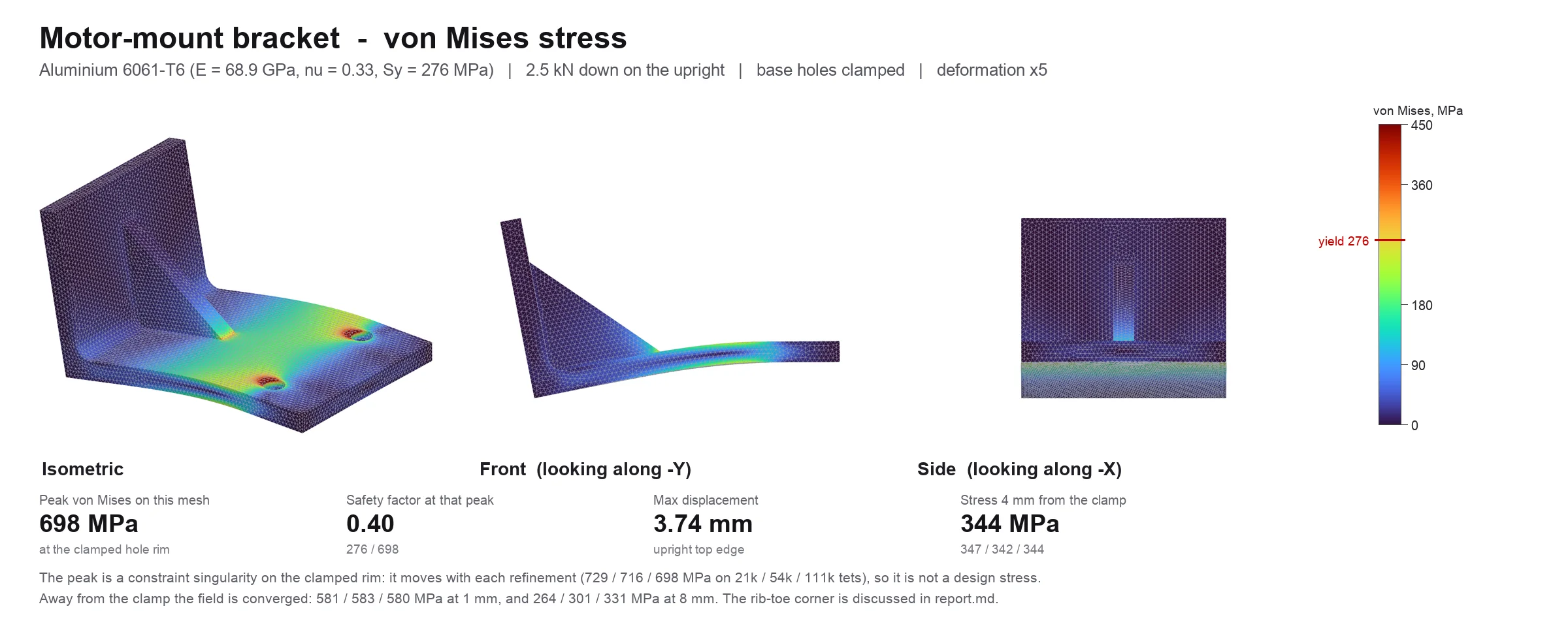
Stress analysis. A 6061-T6 motor-mount bracket designed in FreeCAD and solved in CalculiX on three meshes. Klarcode flags the clamp singularity and reports the converged stress instead.
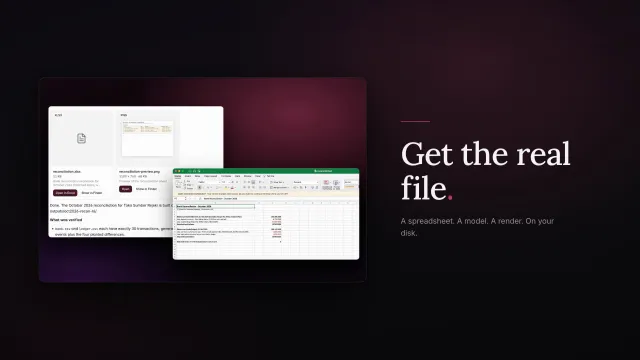
Accounting. A bank reconciliation for an Indonesian business, opened in Excel.
Small business. A coffee shop’s Q4 budget: a workbook, a memo and a deck.
Biology. Ubiquitin from the Protein Data Bank, measured and opened in PyMOL.
Chemistry. Five drugs in 3D, opened in Avogadro. Weights within 0.005 of RDKit.
Mathematics. A theorem proved in Lean 4, checked by Lean, with no gaps left.
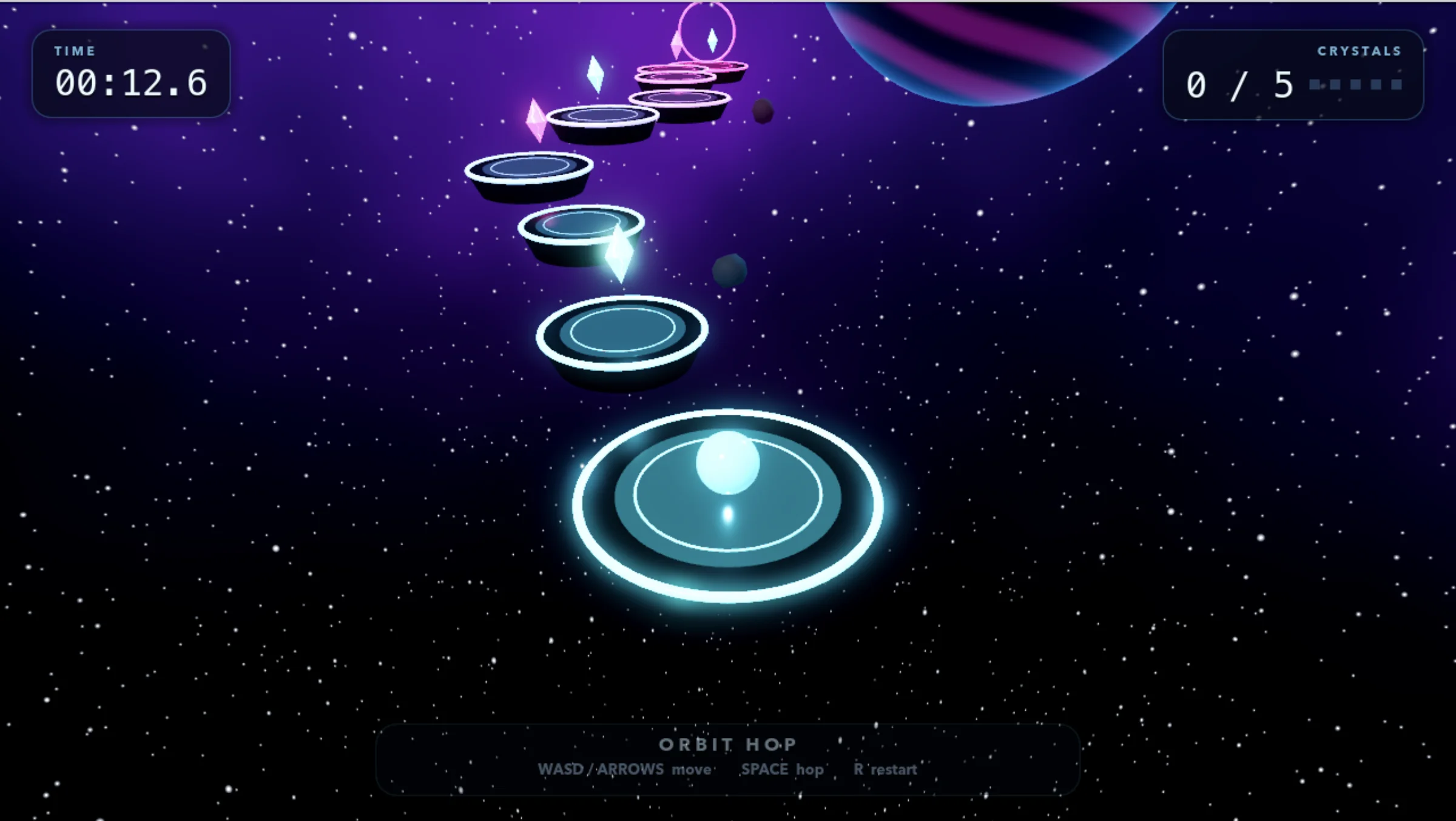
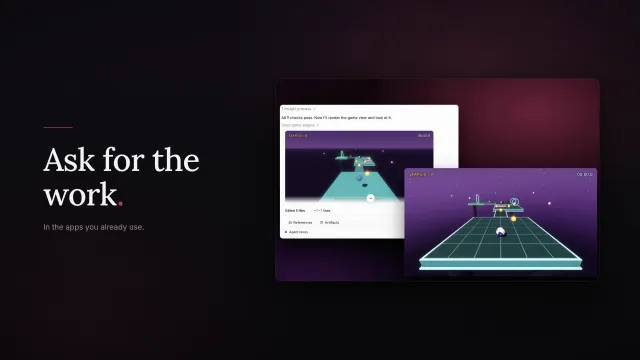
Games. Orbit Hop, a 3D game in Godot: built, looked at, fixed and played.
Games. A marble game in Godot that passed its 9 checks before Klarcode played it.
Video. Klarcode’s own 20-second launch film, made inside Klarcode — scored, mastered to −14 LUFS and checked frame by frame.
Every Klarcode window on this page is the real app, photographed on 21–22 October 2026 from tasks run on a MacBook Pro with a model connected by the tester’s own key. Where another program is shown, it was opened on the file Klarcode made.
Video and games
One brief. A finished film.
This is Klarcode’s own launch film, and Klarcode made it — 1920 × 1080, 20 seconds, mastered to −14.0 LUFS.
It wrote the score.
A music bed, and a whoosh on every cut
It cut on the beat.
Five beats · cuts on the cues · 20.000 s
It watched its own frames.
A drifting frame, found and re-timed
Mastered to −14.0 LUFS.
−14.0
Measured on the finished file
Games, too. Built, looked at, played.
Orbit Hop — built in Godot by Klarcode, rendered, looked at, fixed and played on this Mac.
Any model
The harness does the heavy lifting. So fast models deliver.
Most of the work on this page was done by fast models like DeepSeek V4.1 Flash and GLM 5.3 Flash. Tap a model to see its tasks.
The same seven everyday tasks, run inside Klarcode on 20 October 2026, each answer checked against the files. A test of Klarcode with each model, not a comparison with other tools.
Compared
Most AI hands you an answer. Klarcode hands you the work.
Feature
Chat assistant
AI code editor
Cloud coding agent
Klarcode
What you get back
Text to copy
Code changes
A pull request
The finished file, open in its app
Runs your desktop apps — CAD, Excel, Godot, Xcode
No
No
No — it works in their cloud
Yes, on your Mac
Checks its work before it says done
No
Varies
Runs tests
Your checks, plus its report read against the files
Any model, or one on your own machine
Its own
Varies
Its own
Any model, your key, or local
Your files stay on your machine
No
Partly
No
Yes — Local only keeps the agent offline
Take over and finish it yourself
Copy and paste
Yes
In another editor
Same window, ⌘K 2
Each column describes the typical tool of its kind in October 2026, not any one product.
Who it’s for
Made for every kind of builder.
Scientists, engineers, developers, shop owners and creators use it for different work. Pick yours and see a real task, start to finish.
Scientists
From a question to a result you can open.
Photo: National Cancer Institute / Unsplash
A structural biologist needs a protein measured before a meeting. Instead of an afternoon of scripts, she asks once.
They ask
“Download ubiquitin from the Protein Data Bank, measure it, and open it in PyMOL.”
Klarcode
Fetches the structure and reads its chains and waters
Measures it, and checks the number a second way
Saves a PyMOL session and opens it
ResultRadius of gyration within 0.003 Å of an independent check.
The real task, and the real file it produced.
Beyond tests
Checks your field would ask for.
Tests are the start. Klarcode carries checks written for each kind of work, and runs them on the files it made before it says done.
Mechanical
Mesh convergence, measured.
Re-solves on a finer mesh and flags a stress singularity instead of reporting it.
Bracket: 581 / 583 / 580 MPa on three meshes
CAD
Mass properties from the geometry.
Volume, centre of mass and inertia computed from the part itself, not estimated.
Turbofan: 822,929 mm³, matched its report
Numerical methods
Order of accuracy, tested.
Claim second-order and Klarcode re-runs your solver to prove it — or fails it.
Euler measured 1.01, not the claimed 2: failed
Finance
Look-ahead, caught.
Future data is changed three ways; past results must not move. Paper only — it can’t place orders.
Planted look-ahead leak: caught
Electronics
Your board, ERC and DRC clean.
KiCad checks, ngspice simulation, and eye diagrams with interpolated timing.
555 timer: ERC 0, DRC 0, 0.986 Hz
Video
The file, not the promise.
Length, frame rate, sample rate and loudness read from the finished file.
Launch film: 20.000 s, −14.0 LUFS
iOS
App Review, before App Review.
Privacy manifest, entitlements, icons and launch time checked from the built app.
Golden screenshots: a 4% colour shift caught
Games
The scene matches the story.
What the report says is counted against the actual scene files.
Godot: 9 of 9 game checks passed
Each grey line is a run recorded in Klarcode’s own test notes, August–October 2026.
Safety
It asks first. You decide.
Klarcode plans, waits for your yes, and asks before anything risky — a command that changes your repository, an email, a payment, a deploy. You choose how much it asks, from every step to only what matters.
A task waits on your answer: Allow once, Always allow, or Deny.Five ways to work, from Always ask to Auto, each said in plain words.
Security
A security scan, before you ship.
Klarcode looks for leaked keys, unsafe commands and switched-off encryption, on your Mac. No AI reads your files to do it, and a clean result says only that these checks found nothing.
Deploy
Nothing ships until the checks pass.
Deploy runs only the command you set, and only after the project’s checks pass. A project that declares no checks cannot deploy unless you allow it.
The details
Small things. Done right.
⏸
Pause keeps the plan. Stop is final.
Pause, then type to resume with your words added.
—
Unknown isn’t zero.
A count it can’t measure shows a dash, never “+0”.
↻
“Always allow” ends at restart.
Permission you give today doesn’t quietly last forever.
◇
Payments always ask.
Even in its most hands-off mode. Every time.
✕
A vanished question means no.
If an approval card disappears, the answer is no — never yes.
⌂
Built apps are shown, not run.
Klarcode reveals them in Finder. You decide to open them.
✉
Messages wait their turn.
Type while it works: Send now, Edit or Cancel — or let it steer the run.
◎
Out of allowance? Keep working.
Your own keys and local models carry on. The conversation is intact.
≡
“Already failing before this run.”
Old failures are labelled, not blamed on this task — or hidden.
◐
Every file has its own logo.
1,009 file types recognised, so results read at a glance.
⌁
Local turns: not metered.
Work done by a model on your Mac says so, and costs nothing.
⇥
Tab completes — locally.
Autocomplete runs on a model on your Mac. No cloud.
Privacy
Full AI. Or nothing leaves this Mac.
The first thing Klarcode asks is how you want to work. Choose Local only and the agent has no network at all. Open Privacy and read every route that leaves your Mac — marked Closed, Open, or Unverifiable when it can’t prove it.
The first question: Agent or Manual, Full AI or Local only.What leaves this computer — every route, named.
Freedom
Your models. Your tools.
Pick a model for each task, bring your own key from any OpenAI- or Anthropic-compatible provider, or run one on your Mac. Klarcode carries its own guide for each model family, and your own key is never slowed against what we sell. Then connect what you already use — GitHub, Notion, Linear, Figma, Blender, FreeCAD and 37 more.
Any model, per task.Your key, your provider.Or a model on this Mac.
43 connectors, each with your own sign-in. Anything that would change something asks first.
DeepSeek, Qwen, GLM, Kimi, Gemini, GPT, MiniMax and models on your Mac. Klarcode carries its own guide for each family, so every one works the way it works best.
Freedom
Bring your own key.
Any OpenAI- or Anthropic-compatible provider, in three steps. Your key, your provider, your bill — and never slowed against what we sell.
Local models
Your Mac is the runtime.
Klarcode runs models on your own Mac with its built-in engine, and finds the ones you already have. Nothing leaves the machine, and no tokens are billed.
Offline
Local only. Literally.
Choose it on the first screen: only models installed on this Mac, and no network for the agent at all.
Privacy
Every route that leaves, named.
Open Privacy and read exactly what leaves your Mac. Telemetry: closed. The code index stays on this machine.
Your rules
You choose who reads your code.
Open, No training, or Strict — set per project. Every task keeps a record of which model saw your code and where that provider is based.
Yours to keep
Your work is never held hostage.
Plain files in your own folders and plain git. If a plan lapses you lose the agent, not the project.
Control
It asks first. Deny comes first.
A command that changes your repository waits for you, with Deny as the default answer. Emails, payments and deploys always ask.
Reviewable
Every change, listed.
Each file it touched, with its lines and a View changes that opens the diff. Nothing changes behind your back.
Honest
It says what it checked.
Every task ends with what was verified, in plain words. A check it could not run is named, never rounded up to done.
Make it yours
Skills, plugins, connectors.
Add your own skills by folder or link, your own plugins, and any MCP server. Klarcode becomes the tool your work needs.
Ready check
It knows what your Mac is missing.
Before a job starts it tells you which tools are ready, which are missing and why — not halfway through.
Getting started
Open a folder. Say the job.
1
Open your project.
The folder you already have — a repository, a CAD model, a set of spreadsheets. Nothing to import.
2
Say the job.
In plain words, the way you would brief a colleague. Klarcode plans it and asks before anything risky.
3
Review the result.
The finished file, the checks it ran, and every change it made, listed with its lines.
Built on the open-source base of VS Code: your keybindings, git and terminal are where you left them.
Pricing
Three plans. Monthly, annual, or founding.
Every plan is the full Klarcode: agent mode, manual mode, local models, your own key. What changes is how much runs at once. A plan renews monthly or annually until you cancel, and you can change it from your account whenever the work changes. A Founding 888 seat is the same price paid once, for 40 days (13 months on annual), and then it ends.
Pro
One developer who wants the full verified agent loop.
A founding seat is the full product, bought once at the price shown, for a fixed term rather than a licence: it runs longer than the price normally buys — 40 days instead of 30 on a monthly term, 13 months instead of 12 on an annual one — and then it ends. The first 10 days run on your own model key, a local model or Klar Credits; the plan's included usage covers the rest of the term. Nothing renews and there is nothing to cancel. Each product has its own run of 888 numbered seats, assigned in payment order and never reused; one per person per product. Rupiah prices are the full amount; card payments may have tax added at checkout, depending on your country. Your files, git history and sessions stay yours in every state.
A full refund within 3 days.
If Klarcode is not right for you, write to us within 3 days of paying — plan or founding seat — and tell us why. Once we have reviewed it, we refund it in full, as the refund policy sets out. A regular plan on a credit card can start with a 3-day trial; rupiah payments have no trial.
Your work is never hostage.
Files, repositories, git history and sessions survive every subscription state. A lapsed plan loses the agent, not the project.
Your own key is never slowed.
Bring a provider key or a local model and it is never throttled, delayed or degraded relative to what we sell. Public promise, with a test behind it.
A public rate card, before launch.
Every model's price will be published on a public rate card before launch, so you can see what each one costs against your usage.
Klarcode, on paper.
Runs on
macOS 13 or later · Windows and Linux coming
Shape
Desktop application
Works with
Any git repository
Billing
A Klarcode plan: Pro, Super or Max
Questions.
How is this different from the agent I already use?
Three ways you can check on this page. It plans before it edits and the plan is gated. It asks before it runs anything risky, with the risk read from the command itself. And a run ends in a verdict backed by named checks, with the ones it could not run listed instead of rounded up to green.
Does it work on a codebase I did not write?
That is the case it is built for. Klarcode reads the repository first, so unfamiliar code is the normal starting point rather than the hard case.
Can it commit, push or deploy on its own?
It prepares the change and the pull request. A push to a shared branch is a higher-risk ask you approve. A deploy is refused by default when any check could not run.
Does my code leave my machine?
Only what a request needs, to the model route your data policy allows, and never to train anything. Private mode routes only to providers verified not to train. A local model sends nothing at all.
What if I cancel?
You keep every file, repository, git history and session. What stops is the agent and the included usage. You cancel from your account, in the same place you subscribed. There is no call to book.